

Create a speed assessment
From “Dashboard”, select “Create Speed Assessment”.
To create a speed assessment, click "Create Speed Assessment" (1)
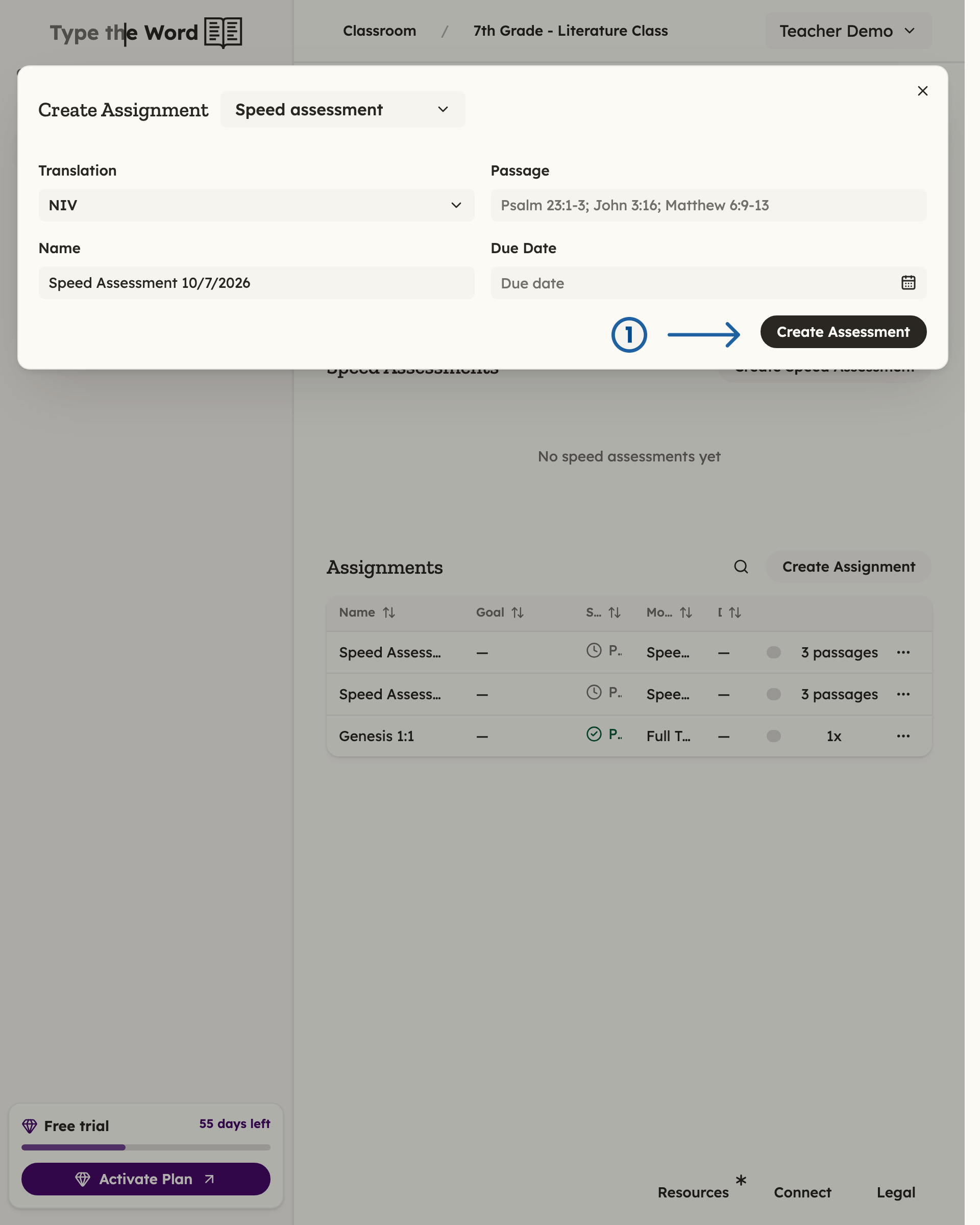
Once you have customized the assessment, you can click "Create Assessment" (1)
Publish to share this with your class
After you create the speed assessment, its details page opens. Select “Publish” so your students can access it.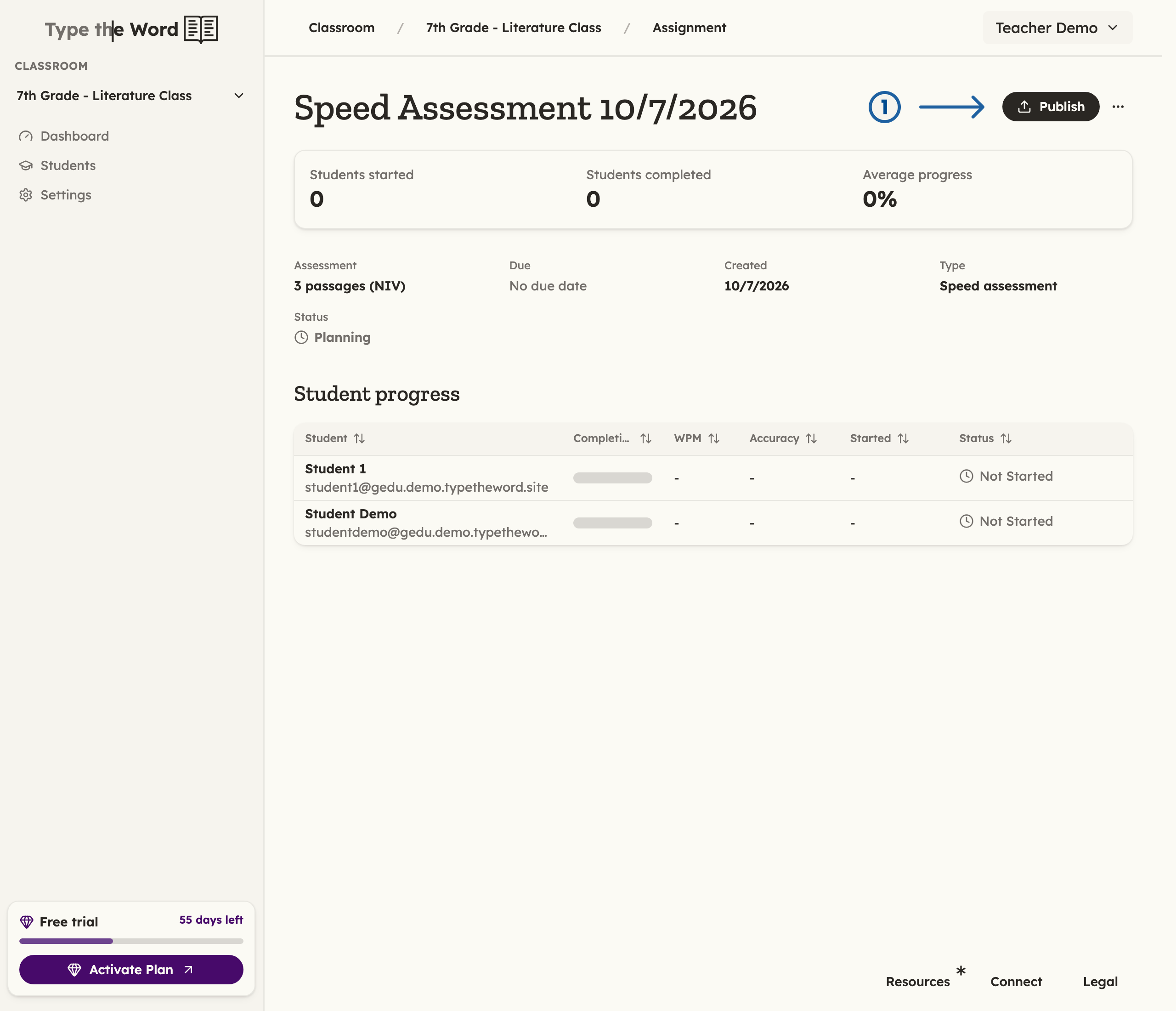
Select "Publish" (1) to share the speed assessment you just created with your class
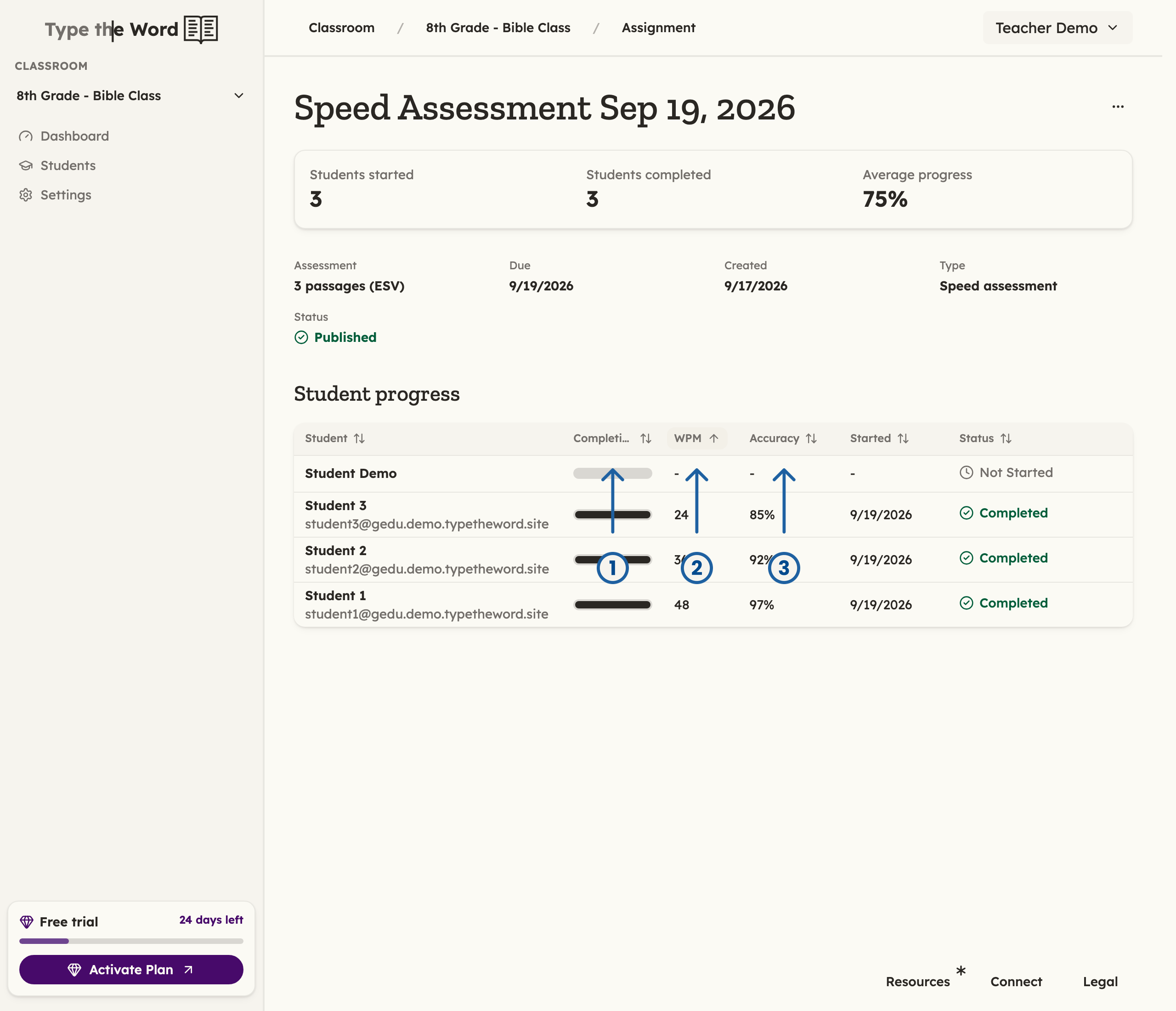
As your student types through the assessment, the completion bar will indicate their percentage (1). "WPM" stands for Words Per Minute (2). "Accuracy" is the number of letters they got correct on the first type (3)