

Create a curriculum goal
If they still need keyboard basics, start with a typing program. But assuming they are familiar with the keyboard, head to “Dashboard”, click “Create Goal”, and find one of the Bible curricula there. There are some great options, including “Miracles of Jesus - Luke” or “Through the Bible in 20 Days”.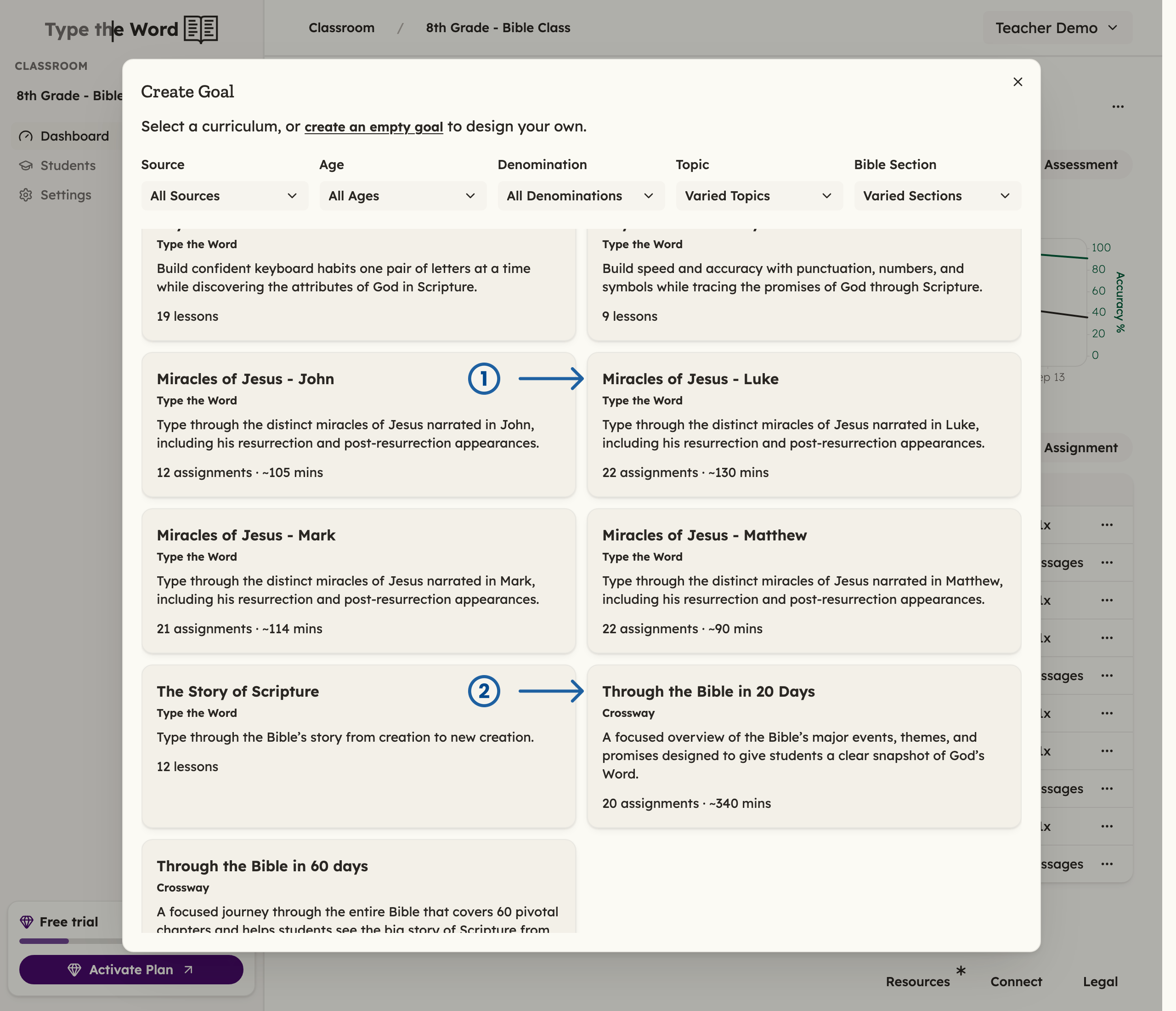
1 is "Miracles of Jesus - Luke". 2 is "Through the Bible in 20 Days".
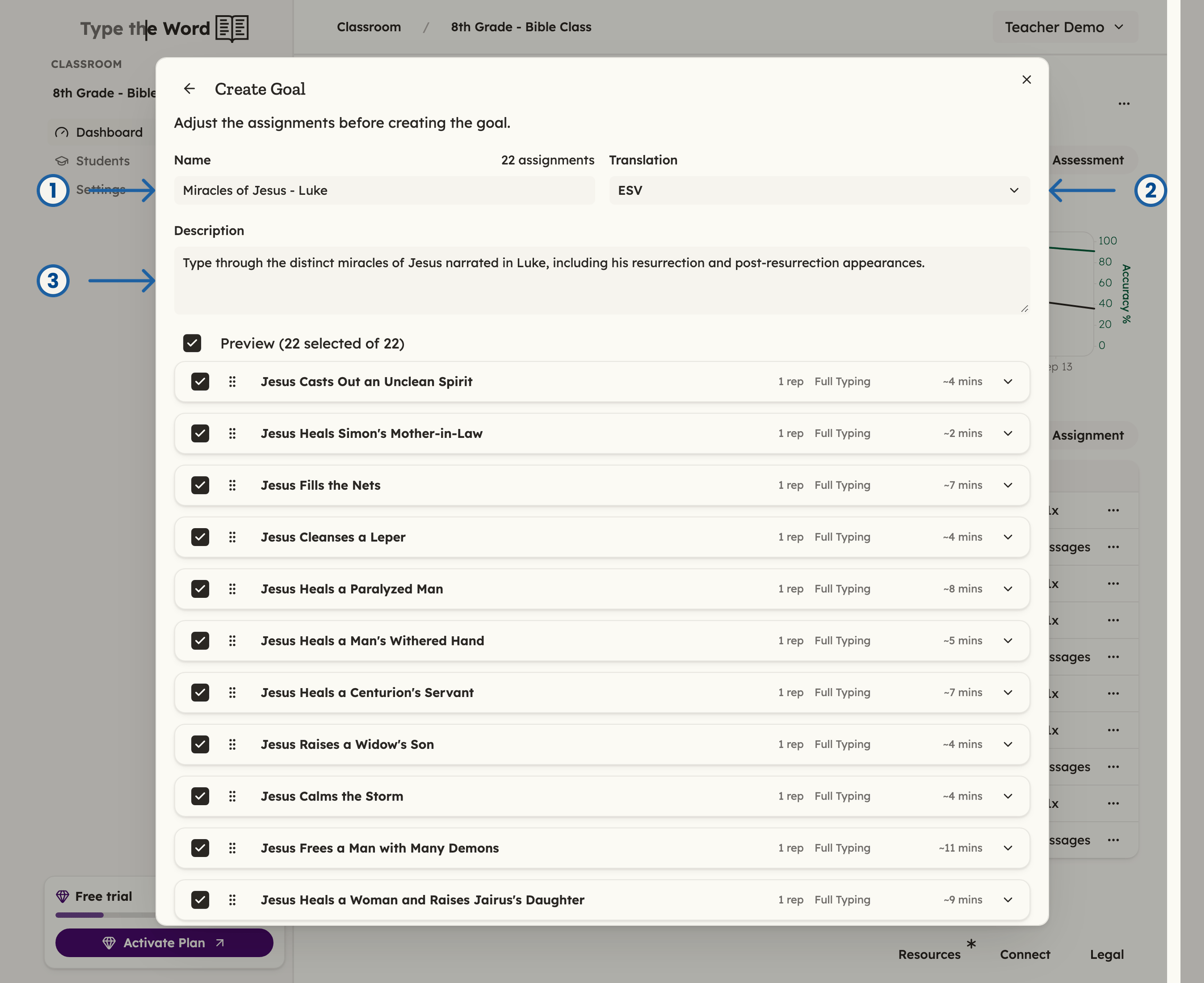
1 is "Name". 2 is "Translation". 3 is "Description".
Publish the next assignment
Now that you have a goal, you can open the menu for the first assignment and click “Publish” so that it shows up for your students and in your LMS.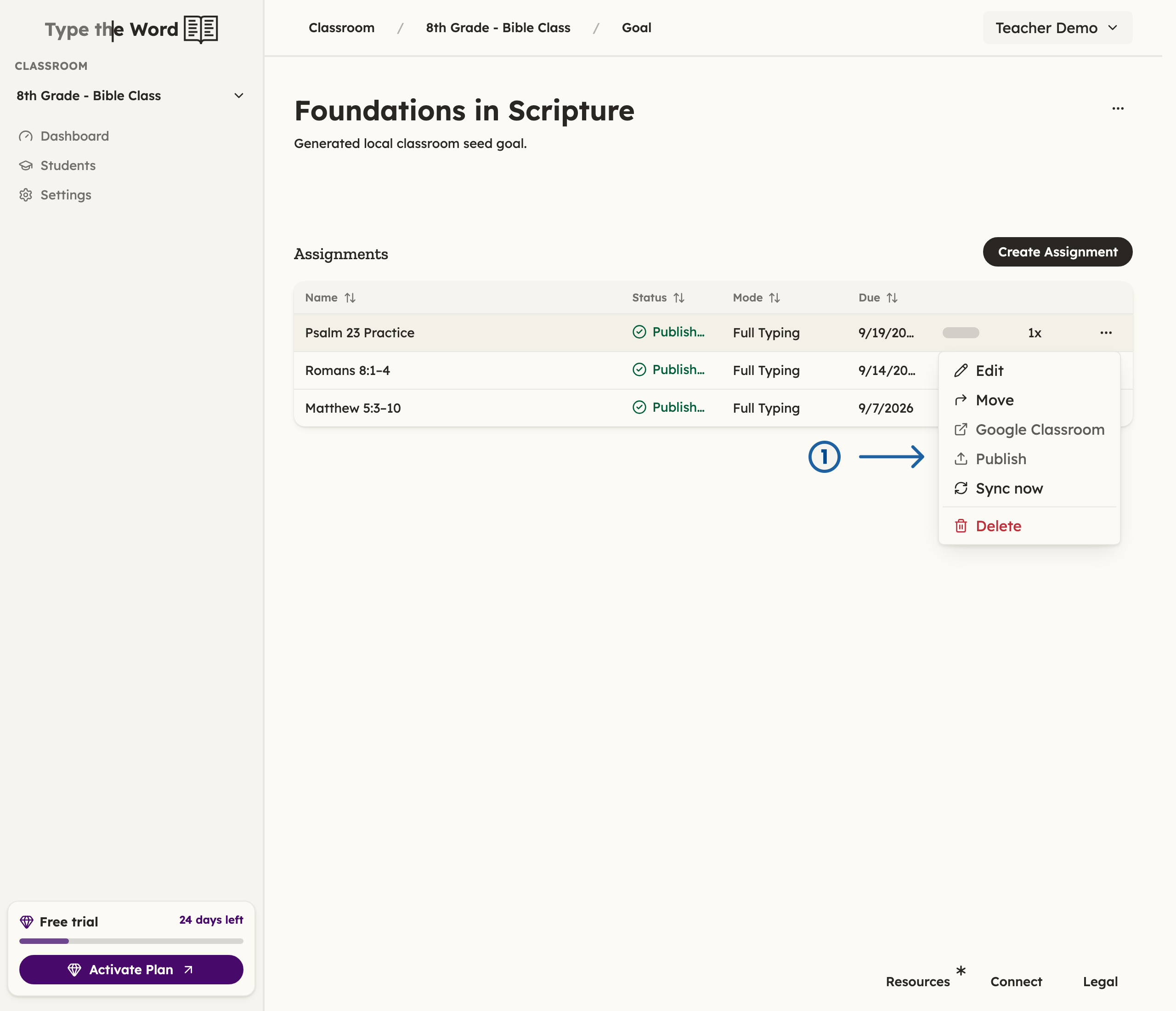
In the assignment menu, you can click "Publish" (1) to make the assignment visible to your students