

Set the classroom default
The “Default translation” is the translation that assignments and assessments will default to within this classroom. To update “Default translation”, you can head to “Settings”, and then under “Classroom”, there is a “Default translation” option.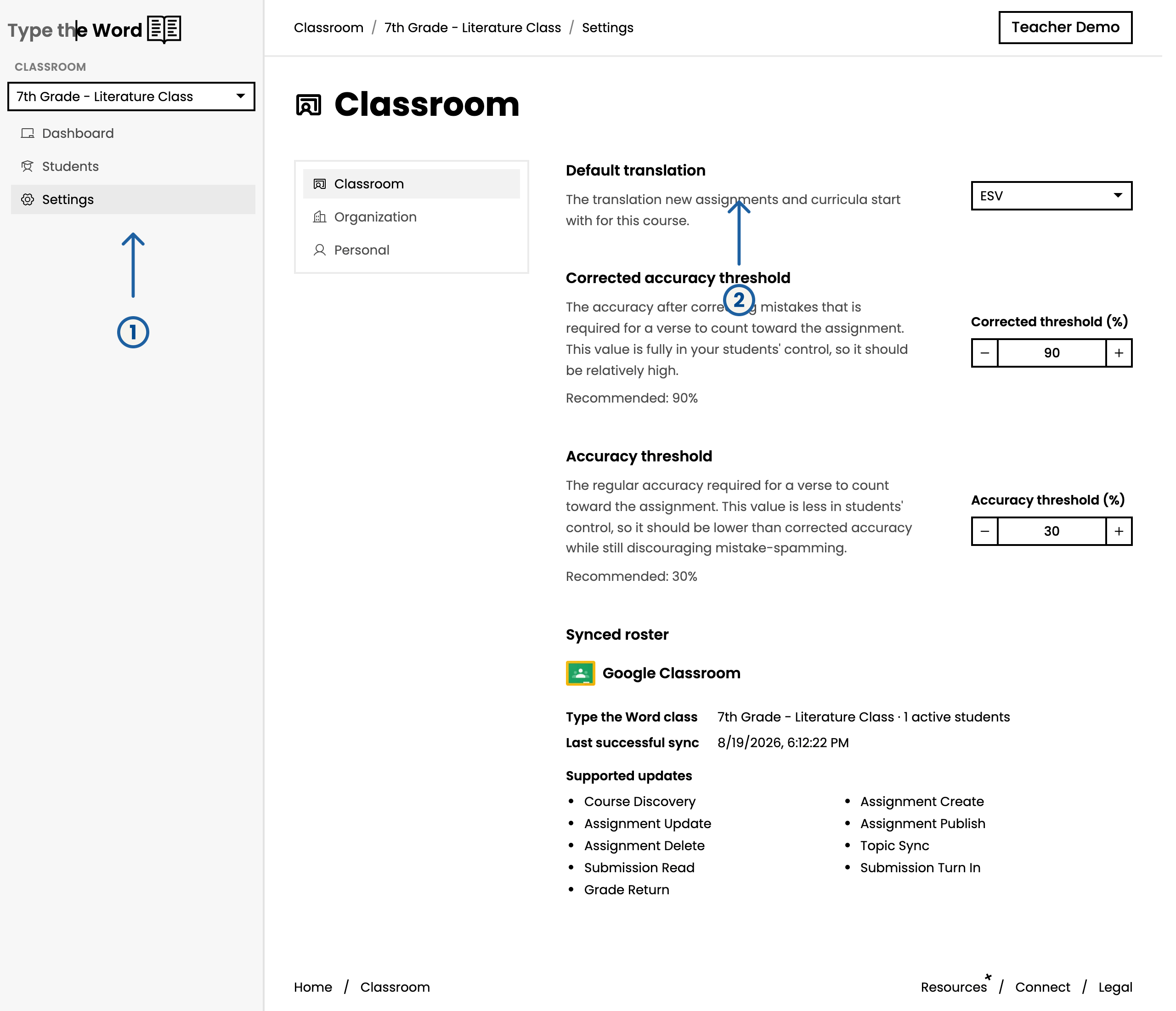
You can customize the default translation by heading to "Settings" (1) and then finding "Default translation" (2) within Classroom settings
Set allowed translations
By default, students can access all translations in Type the Word, but specifying “Allowed translations” allows you to prevent your students from accessing translations you don’t approve of.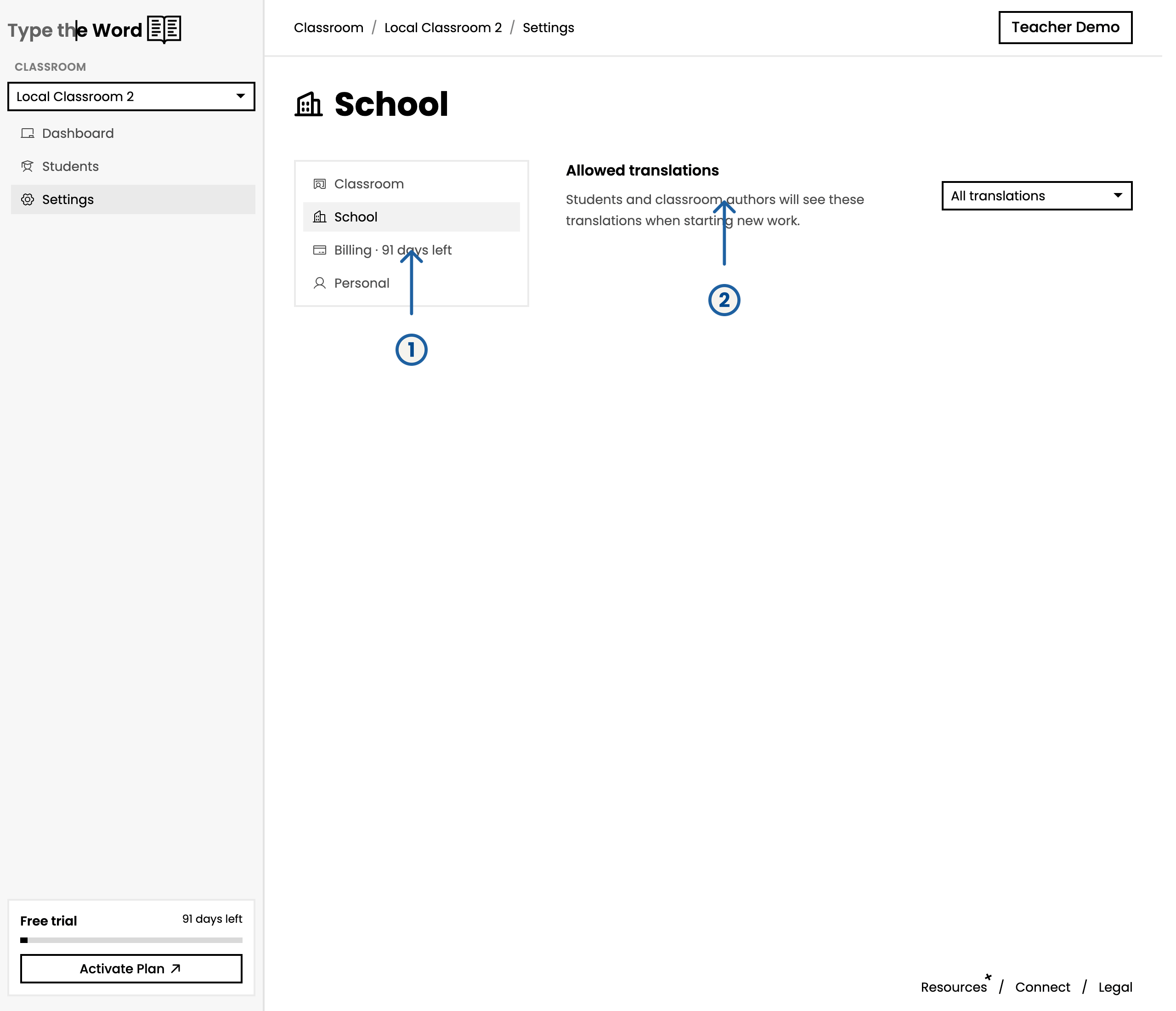
You can find allowed translations under "School" (1) and then "Allowed translations" (2)
Choose a translation on an assignment
Creating an assignment or speed assessment pre-fills “Translation” from the classroom default. Change “Translation” on that form when one passage should use a different Bible translation. Only translations in “Allowed translations” appear in the list.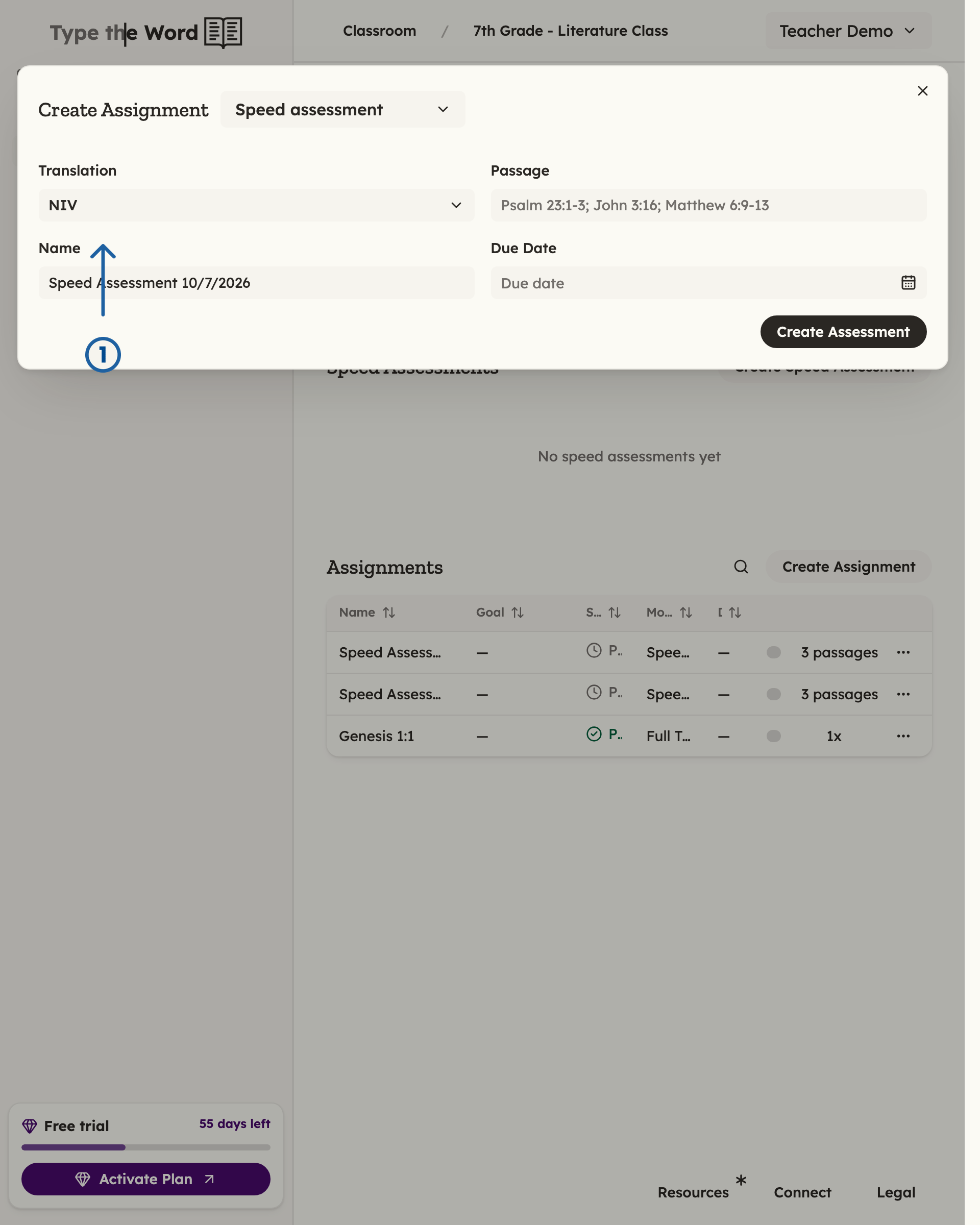
The "Translation" field you'll find when creating assignments (1)