

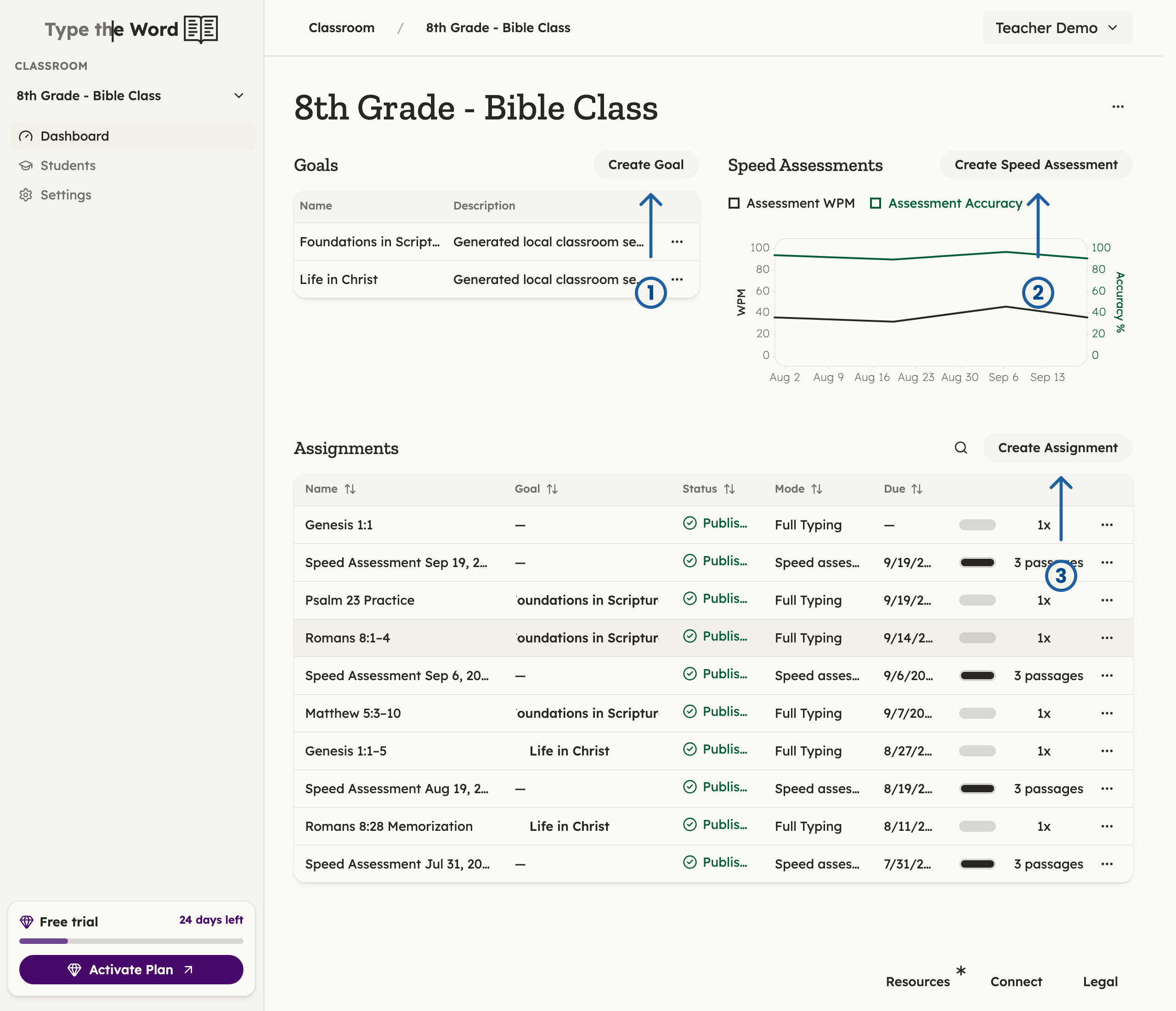
Goals (1), assessments (2), and assignments (3) are the three main building blocks of Type the Word. You can get a snapshot of all three of them on the Dashboard.
Switching Between Classrooms
If you teach more than one class, you can swap between them here.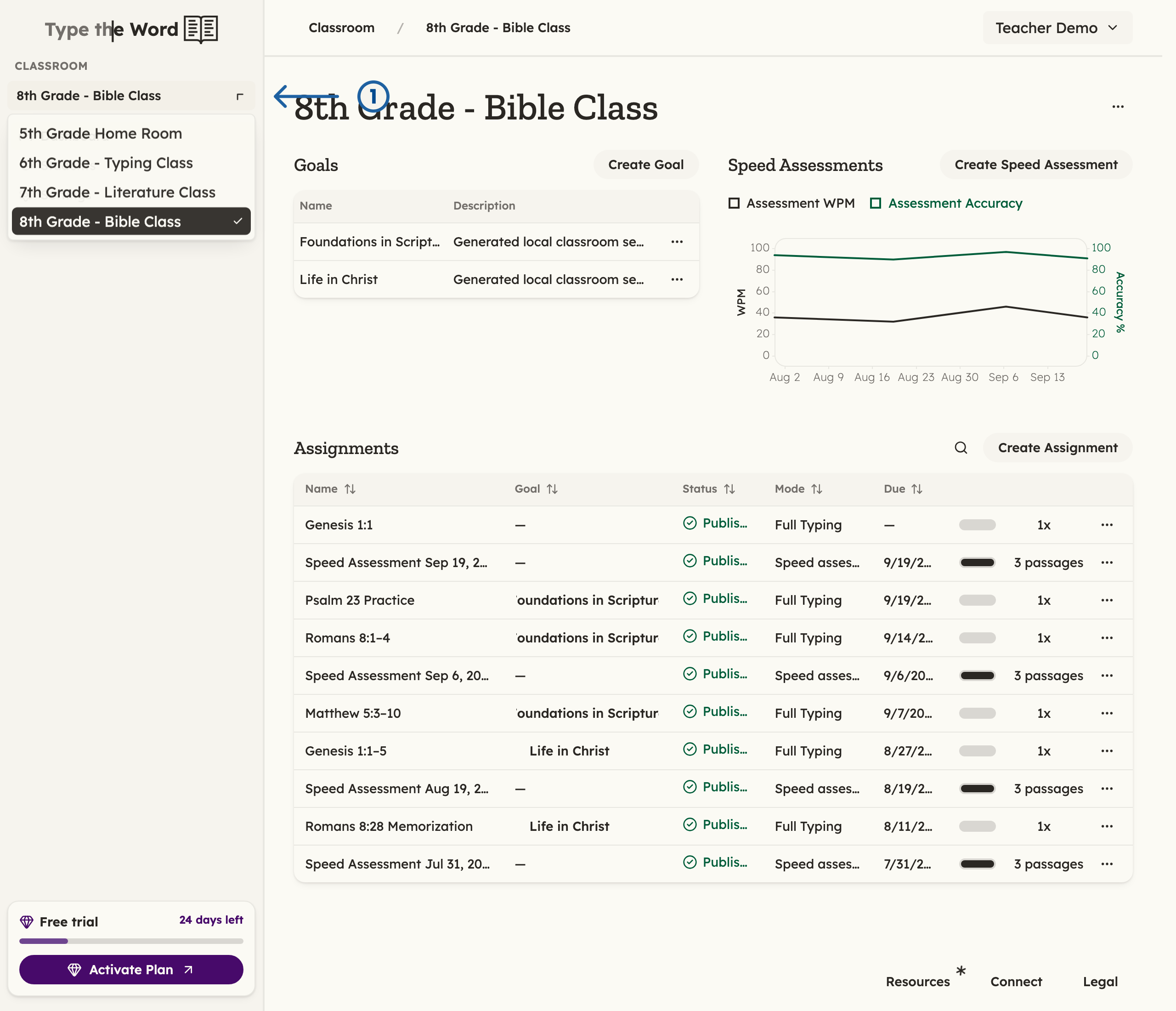
1 is the classroom selector under "Classroom"
Goals
“Goals” are a great way to stay organized. Over a few weeks or your entire semester, you can use them to group assignments under one common theme.
To create a new goal, you can click "Create Goal" (1)
Assignments
At the bottom of “Dashboard” are all of your current “Assignments”. An assignment is a batch of work your students can work through. Each one maps to an assignment in your LMS, and a speed assessment is just a specific type of assignment.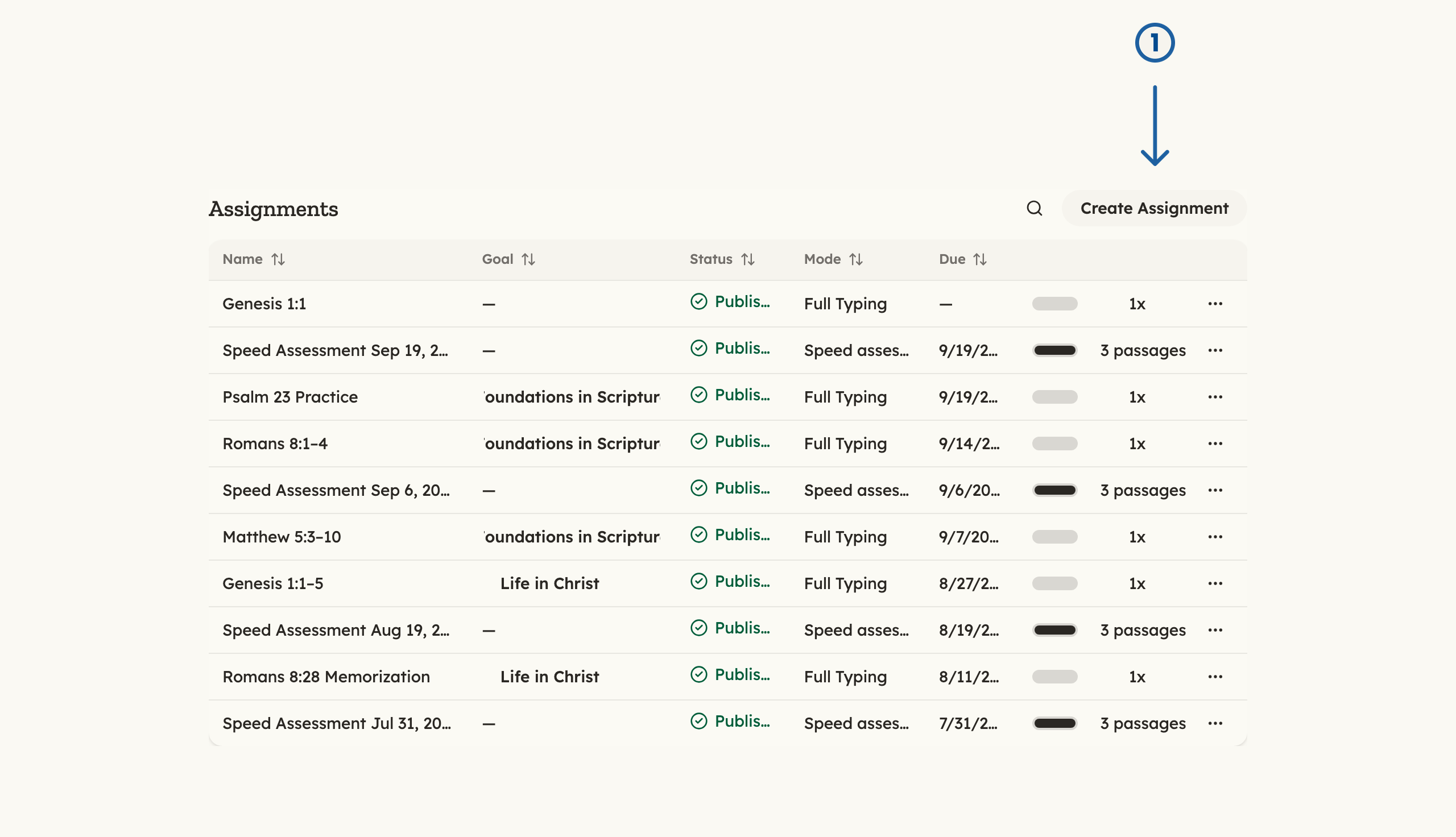
To create a new assignment, you can click "Create Assignment" (1)
Speed Assessments
“Speed Assessments” are how you can get a snapshot of your class’s typing skills. Running a speed assessment once a month is a great way to see your students’ progress over time. Once you have multiple speed assessments, the aggregate speed and accuracy of your class will be plotted in this section.
To create a new speed assessment, you can click "Create Speed Assessment" (1)