

Keyboard Foundations
“Keyboard Foundations” introduces the letters and the main keys while students discover attributes of God in Scripture. Start here when students are still learning where keys are. To see what each lesson teaches, check out the Scripture used in each Keyboard Foundations lesson.Keyboard Proficiency
“Keyboard Proficiency” covers numbers and symbols while students trace the promises of God through Scripture. Use it after “Keyboard Foundations”, once letters and the main keys are in place. To see what each lesson teaches, check out the Scripture used in each Keyboard Proficiency lesson.The Story of Scripture
“The Story of Scripture” walks through the Bible’s story from creation to new creation. Use it after “Keyboard Proficiency”, when students are ready to type longer Scripture passages. To see what each lesson teaches, check out the Scripture used in each Story of Scripture lesson.Assign a typing curriculum
On “Dashboard”, select “Create Goal”. Set “Source” to “Type the Word” to filter the list of curricula to specifically show the typing programs.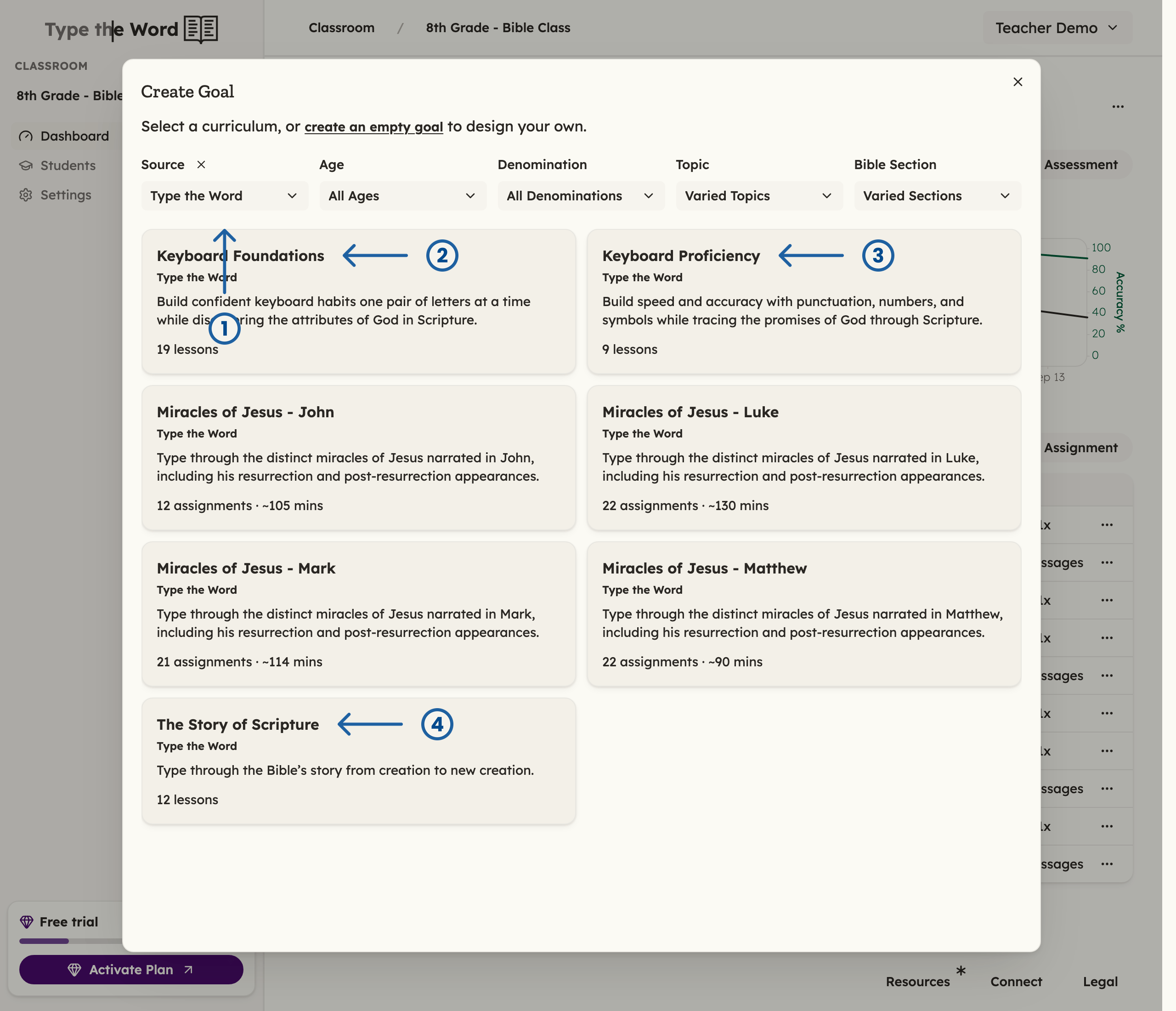
Setting the "Source" to "Type the Word" (1) will show "Keyboard Foundations" (2) and "Keyboard Proficiency" (3)
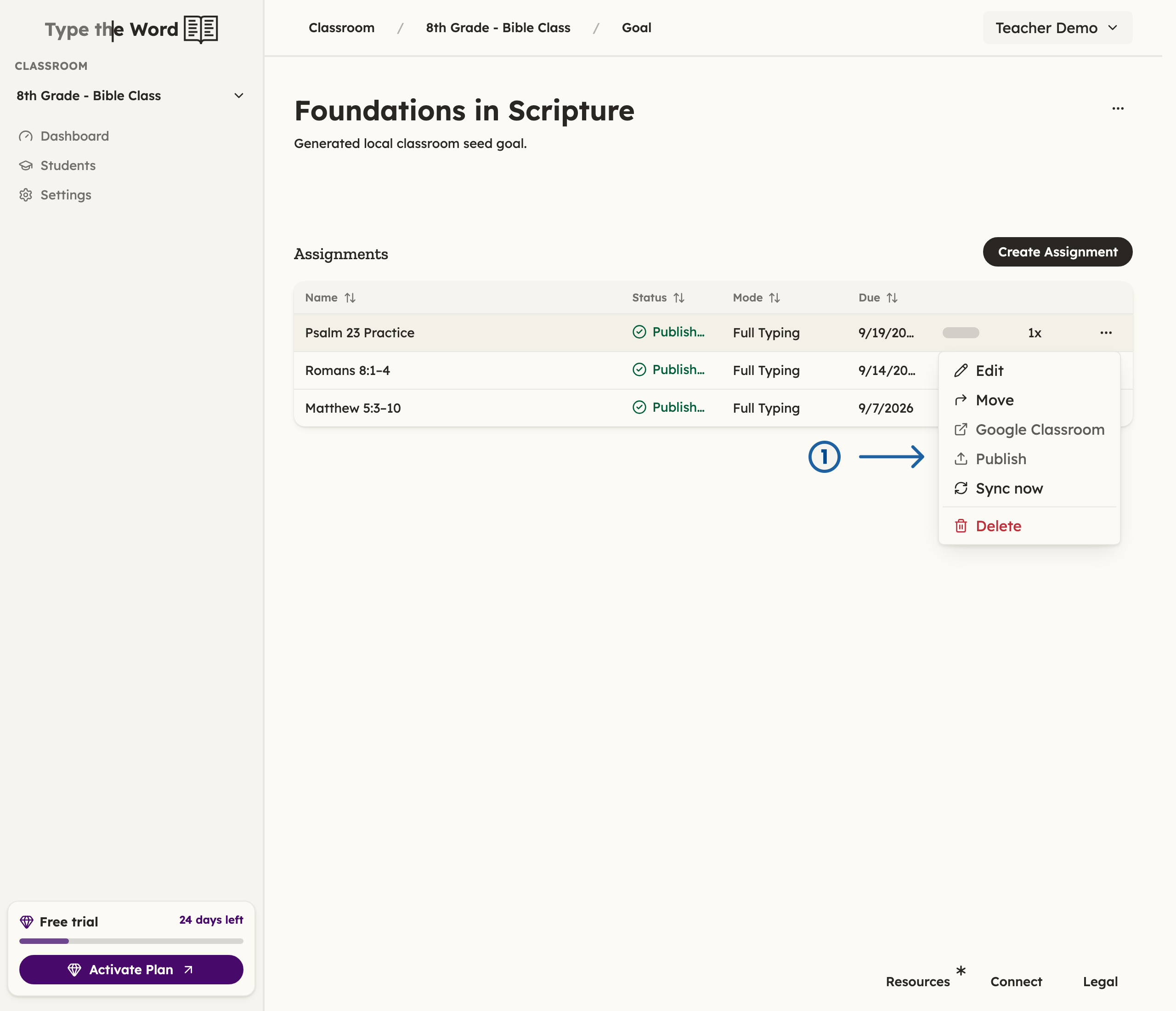
Lessons are not available to your students until you have published the first one (1)