> ## Documentation Index
> Fetch the complete documentation index at: https://docs.typetheword.com/llms.txt
> Use this file to discover all available pages before exploring further.
# When you have no assignments
> Keep practicing until your teacher assigns the next passage.
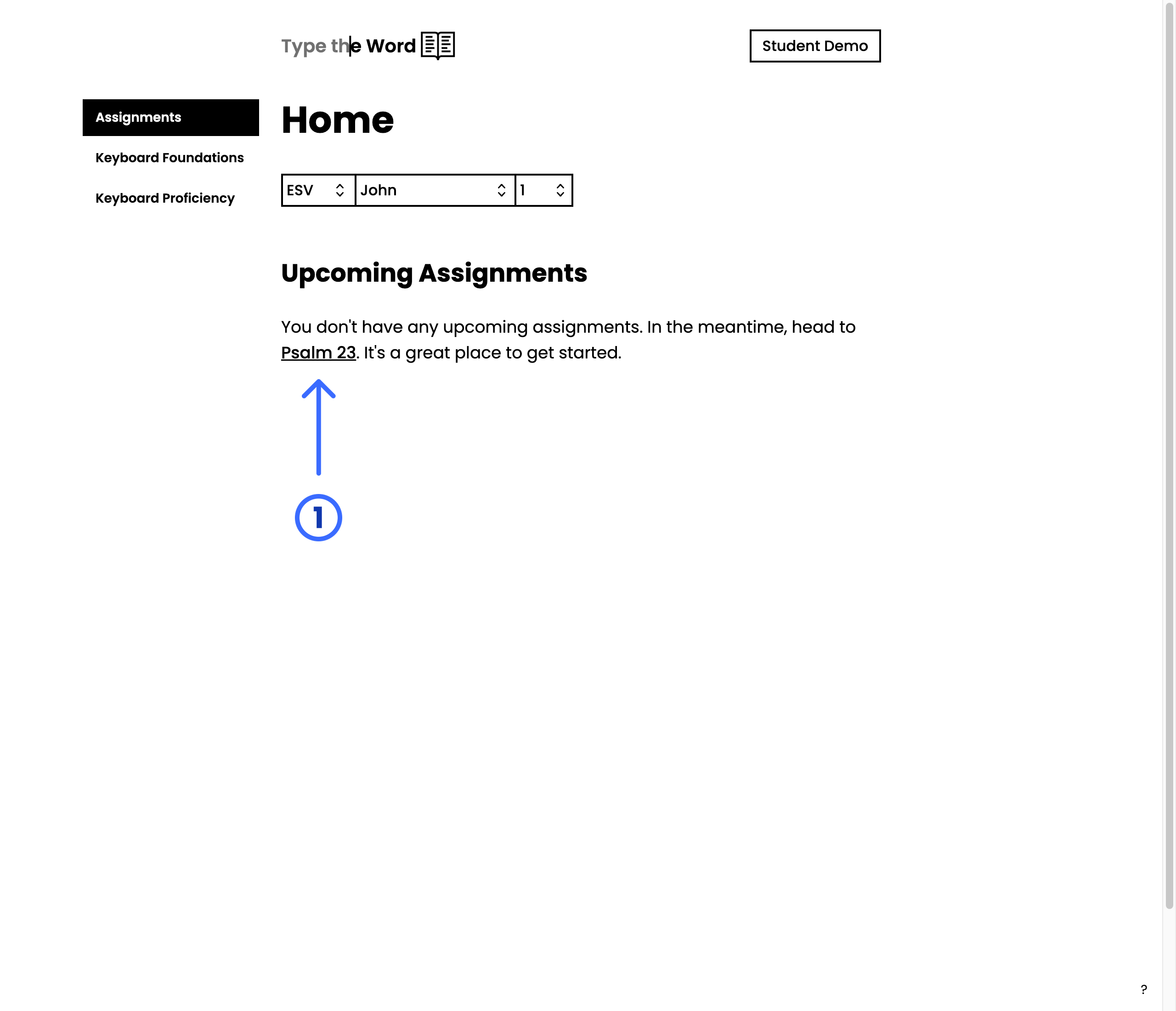
## Start with Psalm 23
If you have not been assigned anything, **"Home"** will suggest you type
[Psalm 23](https://www.typetheword.com/passage/psalms_23?translation=esv). It
is a great place to start.
 ## Choose any passage
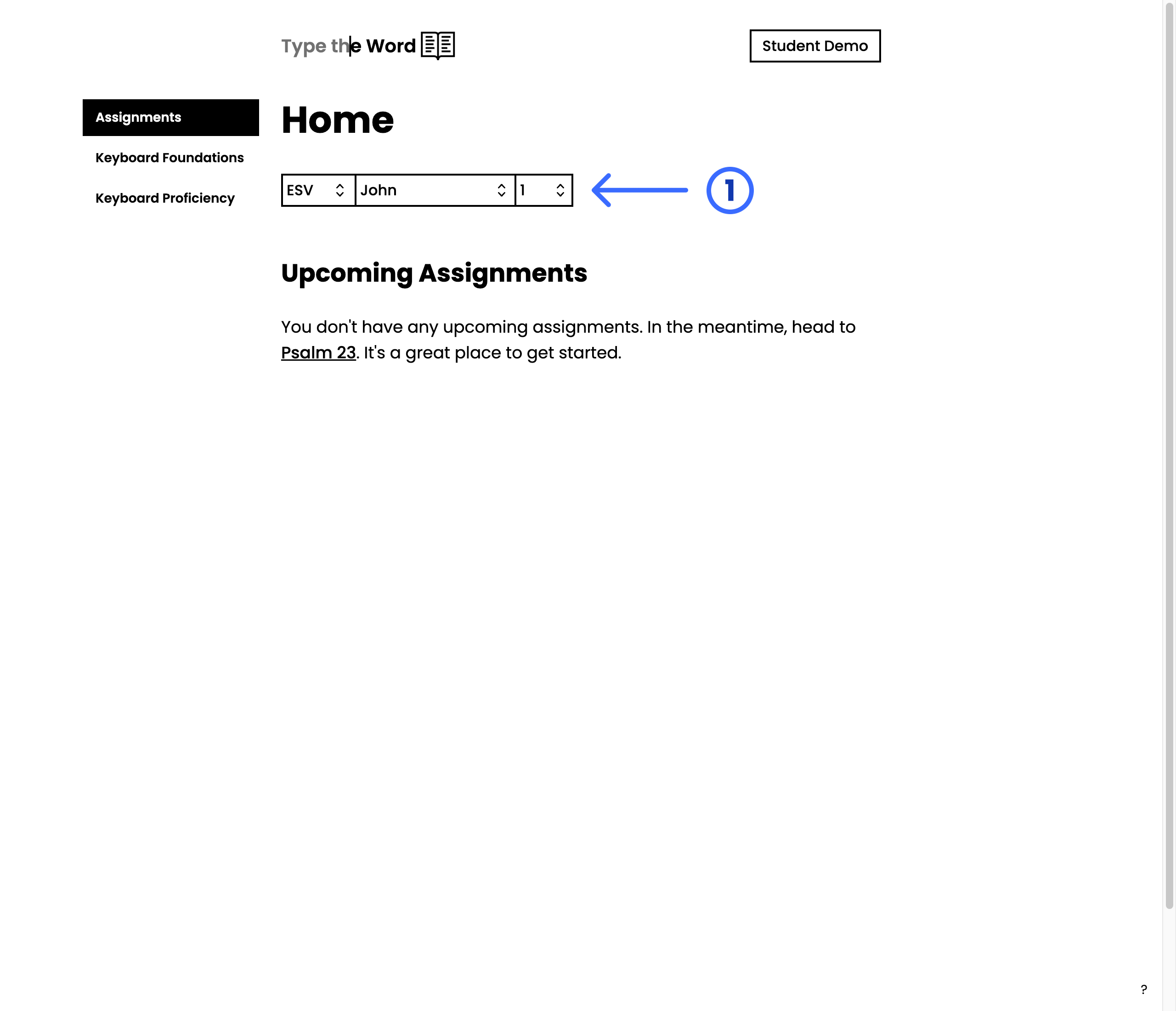
Type a passage you are familiar with by selecting it in the PassageSelector.
## Choose any passage
Type a passage you are familiar with by selecting it in the PassageSelector.
 ## Work through a curriculum
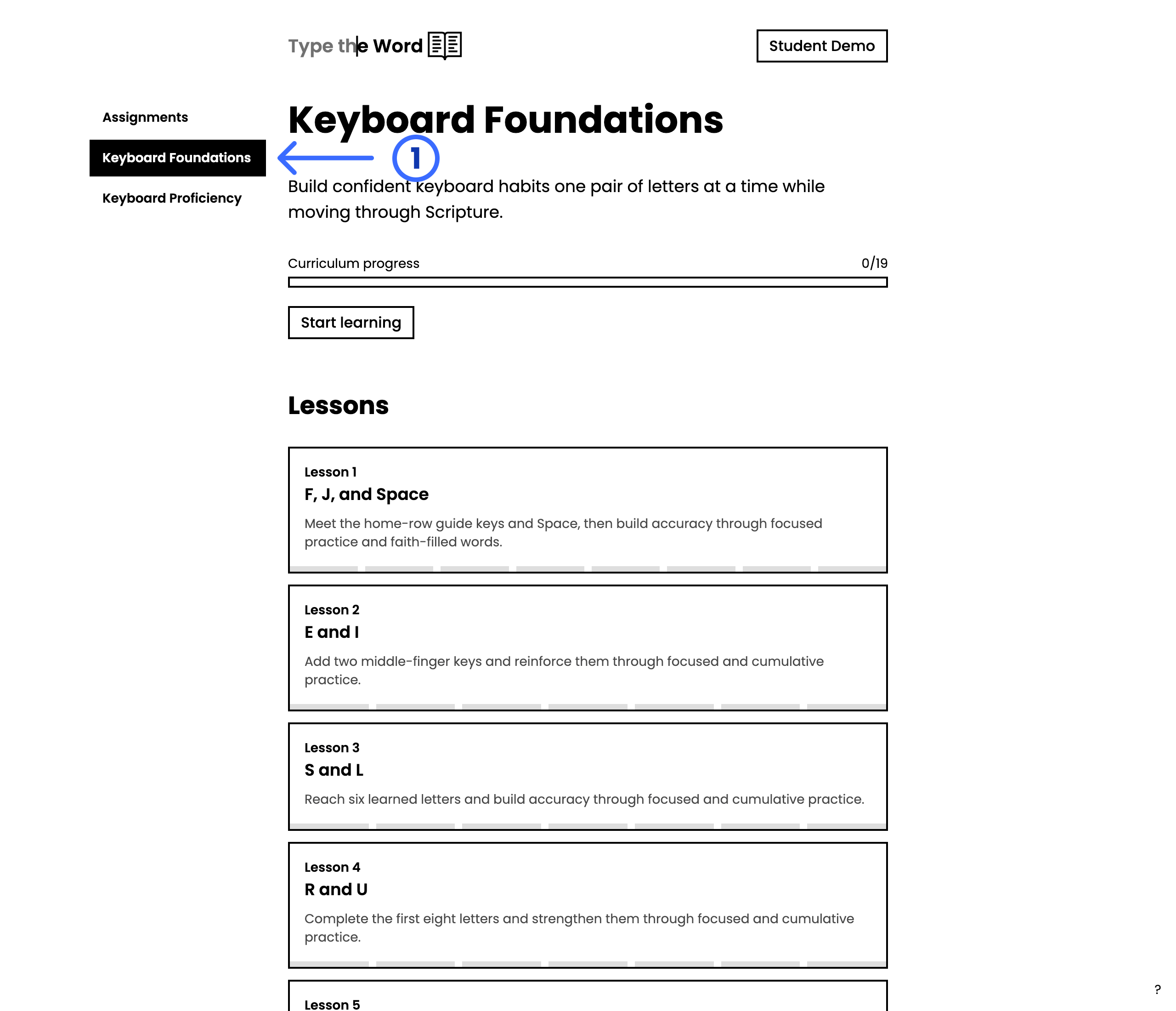
The homepage sidebar lists other great ways of learning to type, such as
**"Keyboard Foundations"**, **"Keyboard Proficiency"**, and **"The Story of
Scripture"** alongside **"Assignments"**. Teachers can preview every lesson in
[Available Curriculum](/curriculum).
1. Select a curriculum in the homepage sidebar.
2. Select **"Start learning"** or **"Continue learning"**.
3. Complete lessons in order, or pick a lesson from the list.
## Work through a curriculum
The homepage sidebar lists other great ways of learning to type, such as
**"Keyboard Foundations"**, **"Keyboard Proficiency"**, and **"The Story of
Scripture"** alongside **"Assignments"**. Teachers can preview every lesson in
[Available Curriculum](/curriculum).
1. Select a curriculum in the homepage sidebar.
2. Select **"Start learning"** or **"Continue learning"**.
3. Complete lessons in order, or pick a lesson from the list.
 ## Check back for assignments
When your teacher creates an assignment, it appears under **"Upcoming
Assignments"** on **"Home"**. See [Find your
assignments](/students/find-assignments) to learn how that list is organized.
## Check back for assignments
When your teacher creates an assignment, it appears under **"Upcoming
Assignments"** on **"Home"**. See [Find your
assignments](/students/find-assignments) to learn how that list is organized.