> ## Documentation Index
> Fetch the complete documentation index at: https://docs.typetheword.com/llms.txt
> Use this file to discover all available pages before exploring further.
# How billing works within TTW
> How billing works within TTW
## Price and trial
* **\$5 per student per year.** Students in multiple classrooms count once.
* **30-day free trial.** Every classroom is eligible.
* **90-day money-back guarantee.** See how it works.
**Limited-time Early Adopter offer:** Keep your \$5 per-student rate and get
all future Type the Word features at no extra charge while subscribed.
## How to activate a plan
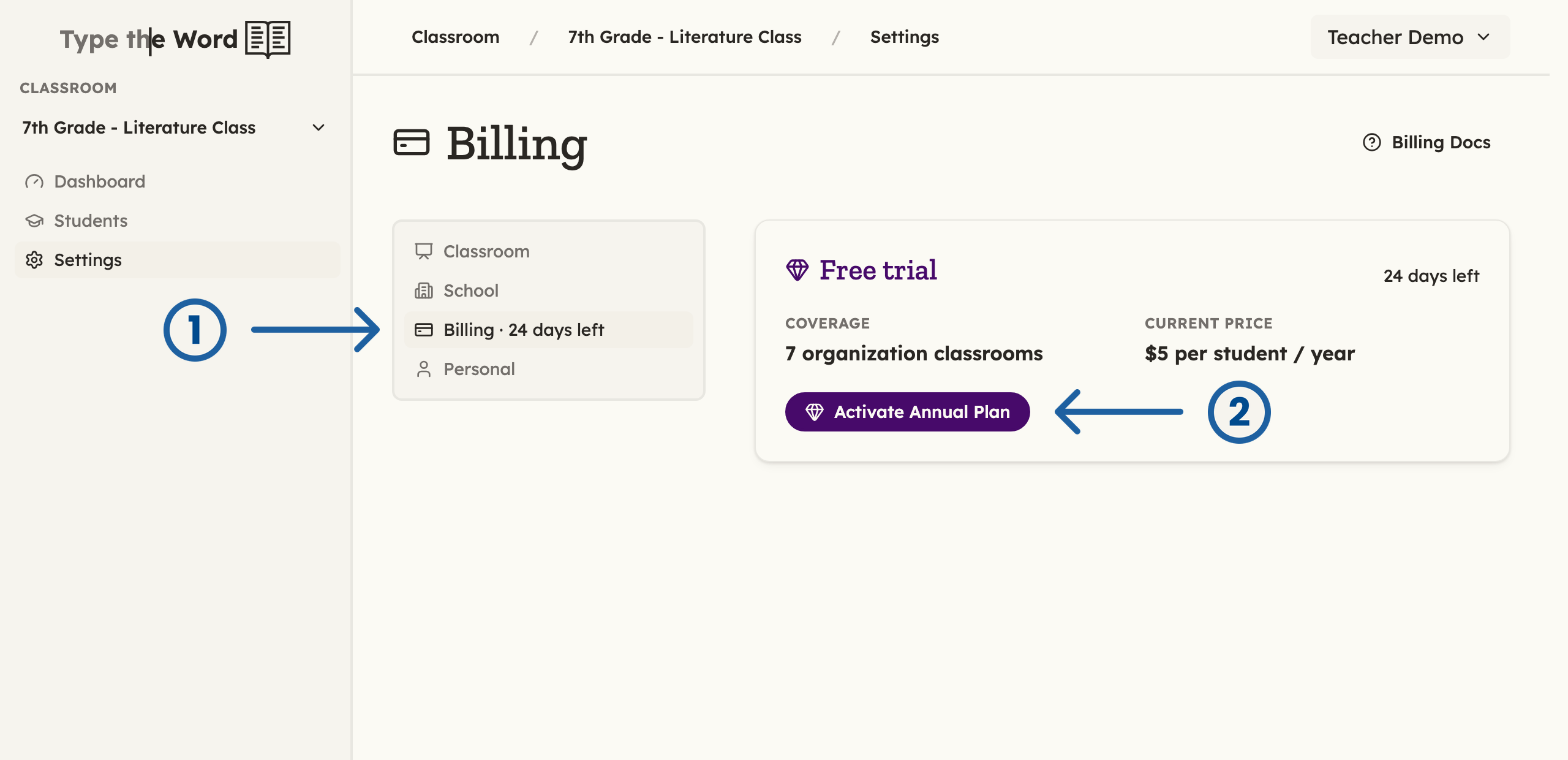
In your classroom's **"Settings"** menu, open **"Billing"** and select **"Activate Annual Plan"**.
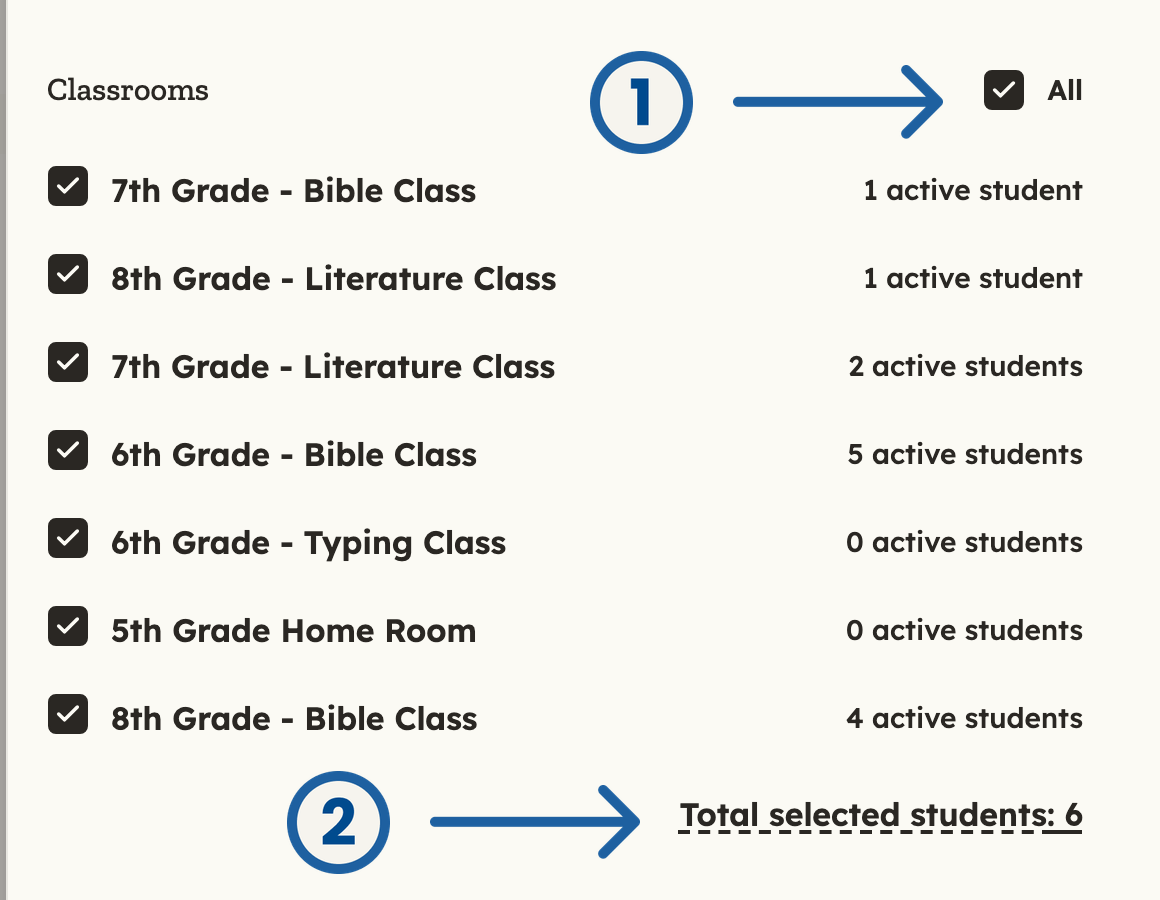
 Choose which classrooms can use Type the Word and review the unique student total before paying. After purchase, select **"Adjust Plan"** to change coverage. Additional student subscriptions are prorated to your renewal date. Removing a classroom does not refund its paid seats, but you can transfer them to other classrooms and students. Your student count is recalculated at renewal.
The administrator who pays becomes your school's billing administrator. They can change classroom coverage and payment details. Teachers and other administrators can view the plan and request changes.
## Renewals, cancellation, and payments
Plans renew yearly. Stripe emails the billing administrator about the trial ending, renewals, and payments. In **"Billing"**, select **"Manage Payment Information"** to update your payment method, view invoices, or cancel renewal. If you cancel, coverage lasts through the paid year. If a payment or renewal happens by mistake, email [josh@typetheword.com](mailto:josh@typetheword.com). I'll be happy to refund it.
## When do you need to email me about billing?
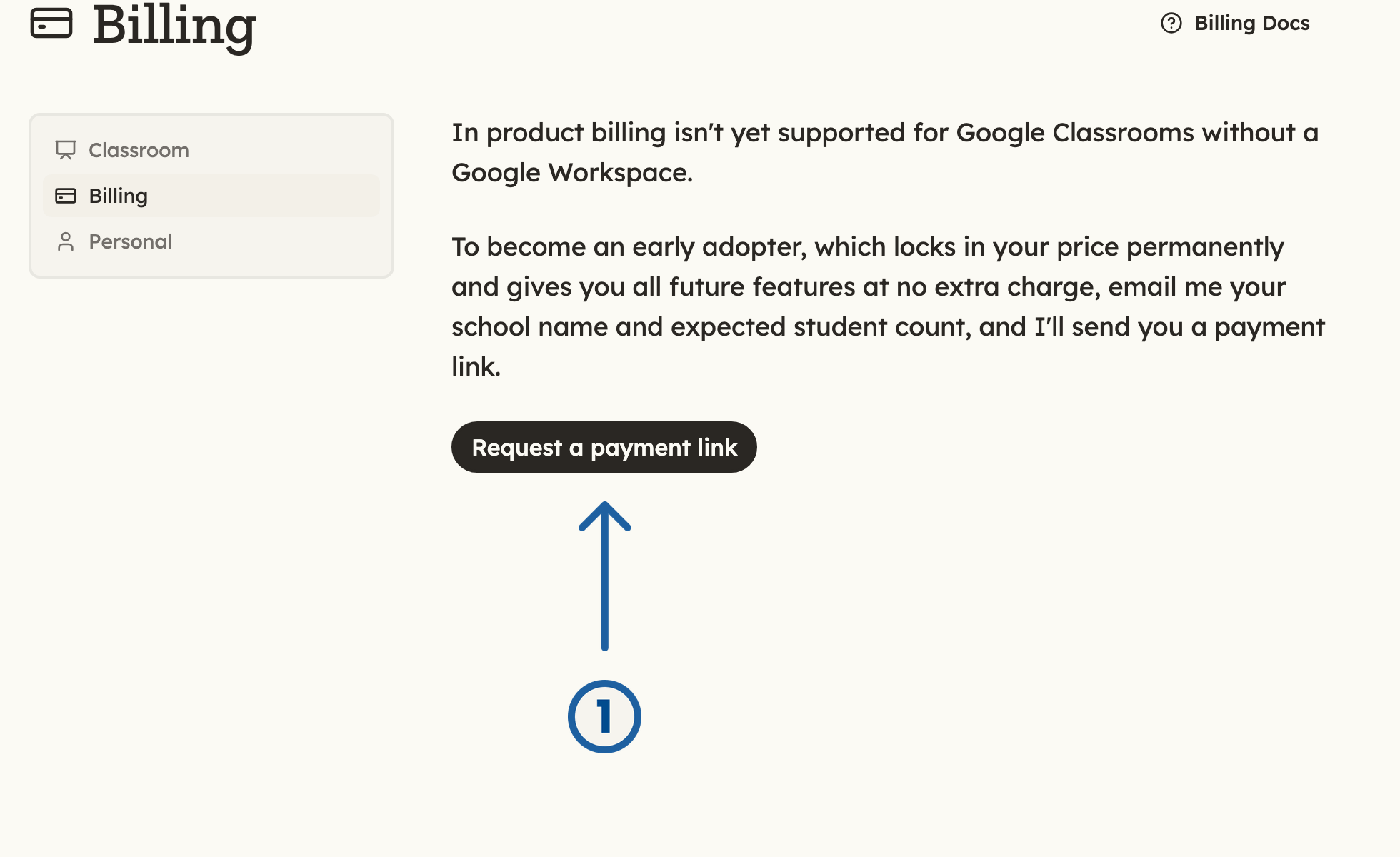
1. If you use Google Classroom without a Google Workspace, in-product billing isn't available yet. Open **"Billing"** in a classroom and select **"Request a payment link"**. Email me your school name and expected student count so I can send you a payment link.
Choose which classrooms can use Type the Word and review the unique student total before paying. After purchase, select **"Adjust Plan"** to change coverage. Additional student subscriptions are prorated to your renewal date. Removing a classroom does not refund its paid seats, but you can transfer them to other classrooms and students. Your student count is recalculated at renewal.
The administrator who pays becomes your school's billing administrator. They can change classroom coverage and payment details. Teachers and other administrators can view the plan and request changes.
## Renewals, cancellation, and payments
Plans renew yearly. Stripe emails the billing administrator about the trial ending, renewals, and payments. In **"Billing"**, select **"Manage Payment Information"** to update your payment method, view invoices, or cancel renewal. If you cancel, coverage lasts through the paid year. If a payment or renewal happens by mistake, email [josh@typetheword.com](mailto:josh@typetheword.com). I'll be happy to refund it.
## When do you need to email me about billing?
1. If you use Google Classroom without a Google Workspace, in-product billing isn't available yet. Open **"Billing"** in a classroom and select **"Request a payment link"**. Email me your school name and expected student count so I can send you a payment link.
 2. If you want someone without classroom access to handle billing, ask them to click [Email me to request a payment link](mailto:josh@typetheword.com?subject=Type%20the%20Word%20payment%20link%20request\&body=School%20name%3A%20%0AExpected%20student%20count%3A%20). They can fill in the school name and expected student count and send the email without signing in. I'll confirm the details and send them a payment link. They'll receive an invoice automatically after paying.