> ## Documentation Index
> Fetch the complete documentation index at: https://docs.typetheword.com/llms.txt
> Use this file to discover all available pages before exploring further.
# Available Curriculum
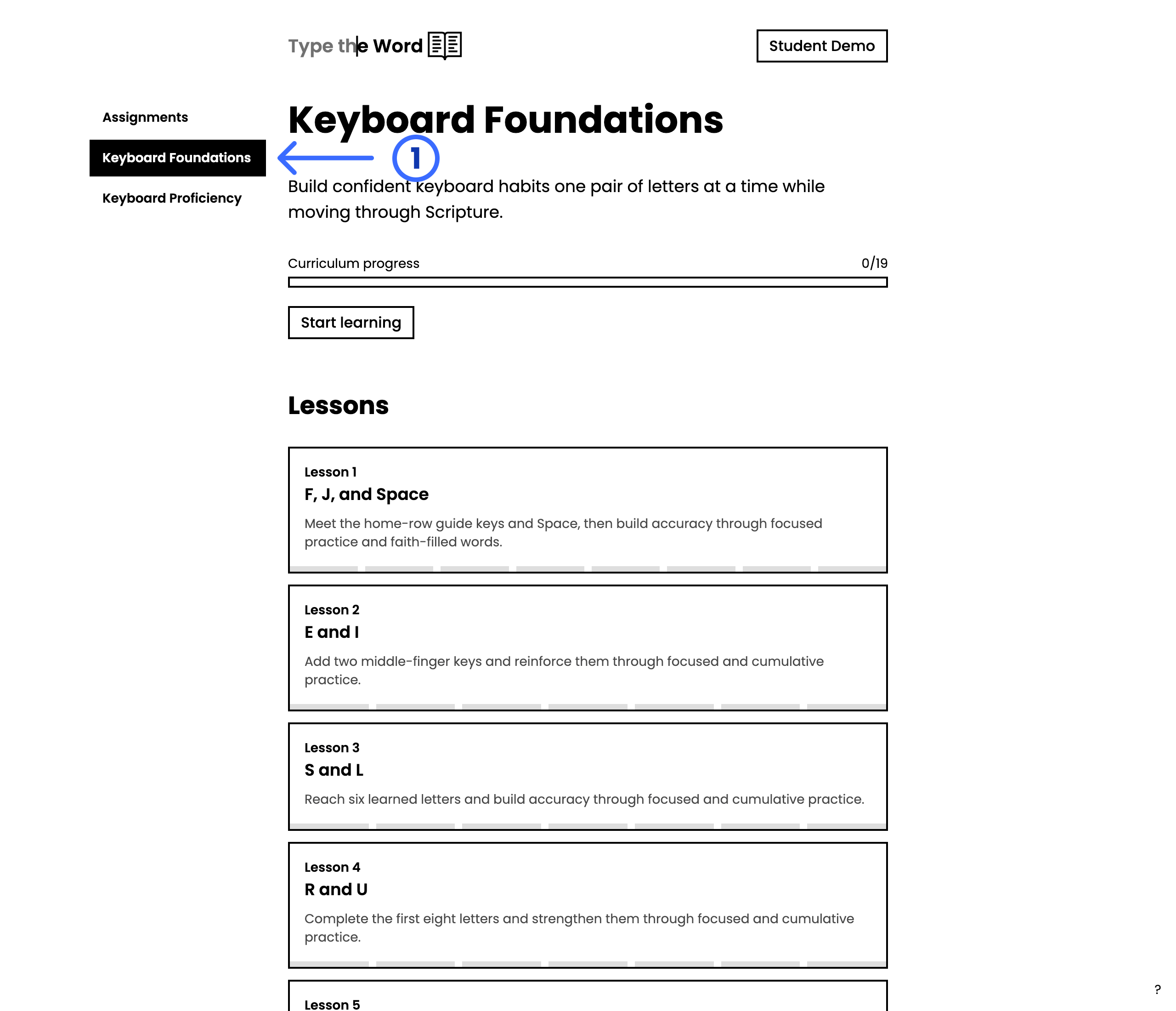
> Every student already has Keyboard Foundations, Keyboard Proficiency, and The Story of Scripture in the homepage sidebar.
Passage text on these pages is shown in **BSB** so you can preview what
students type through. Students type their classroom translation, not this
BSB rendering.
## Students already have these programs
**"Keyboard Foundations"**, **"Keyboard Proficiency"**, and **"The Story of
Scripture"** appear next to **"Assignments"** as soon as a student signs in. You
do not need to create a goal first.
Students open a program, then select **"Start learning"** or **"Continue
learning"**.
 ## Recommended order
1. [Keyboard Foundations](/curriculum/keyboard-foundations) for letters and the
main keys
2. [Keyboard Proficiency](/curriculum/keyboard-proficiency) for capitals,
punctuation, numbers, and symbols
3. [The Story of Scripture](/curriculum/the-story-of-scripture) for a Bible
survey from creation to new creation
Build confident keyboard habits one pair of letters at a time while
discovering the attributes of God in Scripture.
Build speed and accuracy with punctuation, numbers, and symbols while
tracing the promises of God through Scripture.
Type through the Bible’s story from creation to new creation.
## Keep a class on the same lesson
If you want everyone on the same lesson at the same time, [assign a typing
program](/classroom/assign-a-typing-program). Students can still open these
programs on their own from the homepage sidebar.
## Recommended order
1. [Keyboard Foundations](/curriculum/keyboard-foundations) for letters and the
main keys
2. [Keyboard Proficiency](/curriculum/keyboard-proficiency) for capitals,
punctuation, numbers, and symbols
3. [The Story of Scripture](/curriculum/the-story-of-scripture) for a Bible
survey from creation to new creation
Build confident keyboard habits one pair of letters at a time while
discovering the attributes of God in Scripture.
Build speed and accuracy with punctuation, numbers, and symbols while
tracing the promises of God through Scripture.
Type through the Bible’s story from creation to new creation.
## Keep a class on the same lesson
If you want everyone on the same lesson at the same time, [assign a typing
program](/classroom/assign-a-typing-program). Students can still open these
programs on their own from the homepage sidebar.