> ## Documentation Index
> Fetch the complete documentation index at: https://docs.typetheword.com/llms.txt
> Use this file to discover all available pages before exploring further.
# Monitor Student Progress
> See your students' progress typing through the Bible, how often they're typing, and how their skills are improving over time.
## Bible Progress
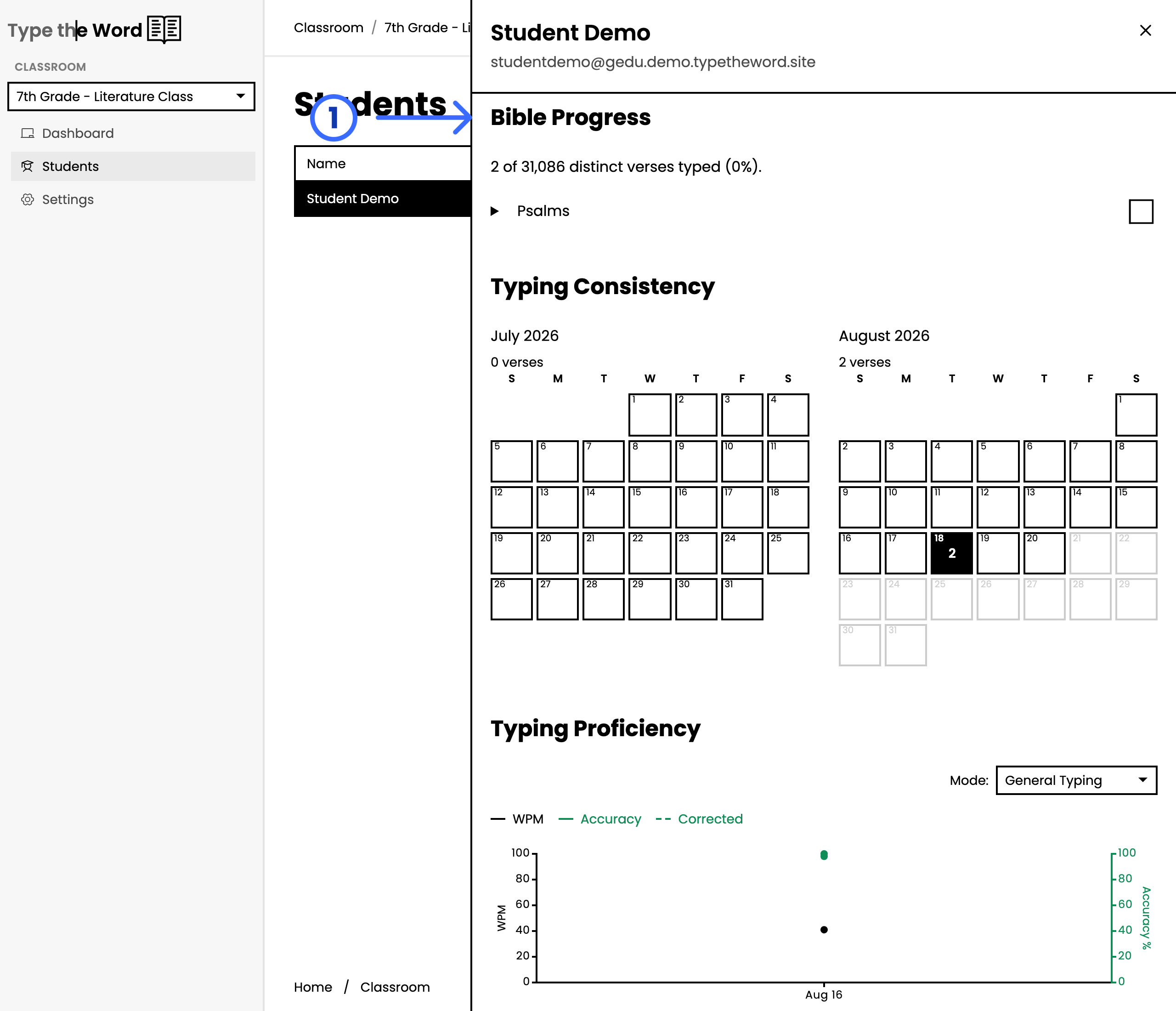
**"Bible Progress"** shows how much of the Bible the student has typed. Under
the heading is a count of distinct verses typed, with a percentage. Each book
they have started appears in the list. If they have not typed Scripture yet,
you will see **"No Bible typing activity yet."**
 ## Typing Consistency
**"Typing Consistency"** is a great way to get a picture of how often your
students are typing. You can hover on a specific day to see where a
student typed that day.
## Typing Proficiency
**"Typing Proficiency"** shows your students' speed and accuracy over time.
**"Corrected"** is their accuracy after they have corrected their mistakes.
There is also a **"Mode"** selector for comparing their speed in **"General
Typing"** versus their speed during **"Speed Assessments"**.
## Typing Consistency
**"Typing Consistency"** is a great way to get a picture of how often your
students are typing. You can hover on a specific day to see where a
student typed that day.
## Typing Proficiency
**"Typing Proficiency"** shows your students' speed and accuracy over time.
**"Corrected"** is their accuracy after they have corrected their mistakes.
There is also a **"Mode"** selector for comparing their speed in **"General
Typing"** versus their speed during **"Speed Assessments"**.