> ## Documentation Index
> Fetch the complete documentation index at: https://docs.typetheword.com/llms.txt
> Use this file to discover all available pages before exploring further.
# Set up a Canvas student
> Launch Type the Word from Canvas and verify access to the correct class.
## Prerequisites
* Your administrator has completed [Connect your SIS](/canvas/connect-sis) and
[Connect to Canvas](/canvas/connect-canvas).
* Your Canvas account is a student in at least one connected course.
## Launch Type the Word
Sign in to Canvas with your student account. Open your course and select Type
the Word in the course navigation, or open a Type the Word assignment.
Complete the Clever authorization prompt if it appears, then wait for Type
the Word to open **"Home"**.
On a shared device, always launch from your own Canvas session. Type the
Word ends the previous local session before beginning a new Canvas login.
## Verify access
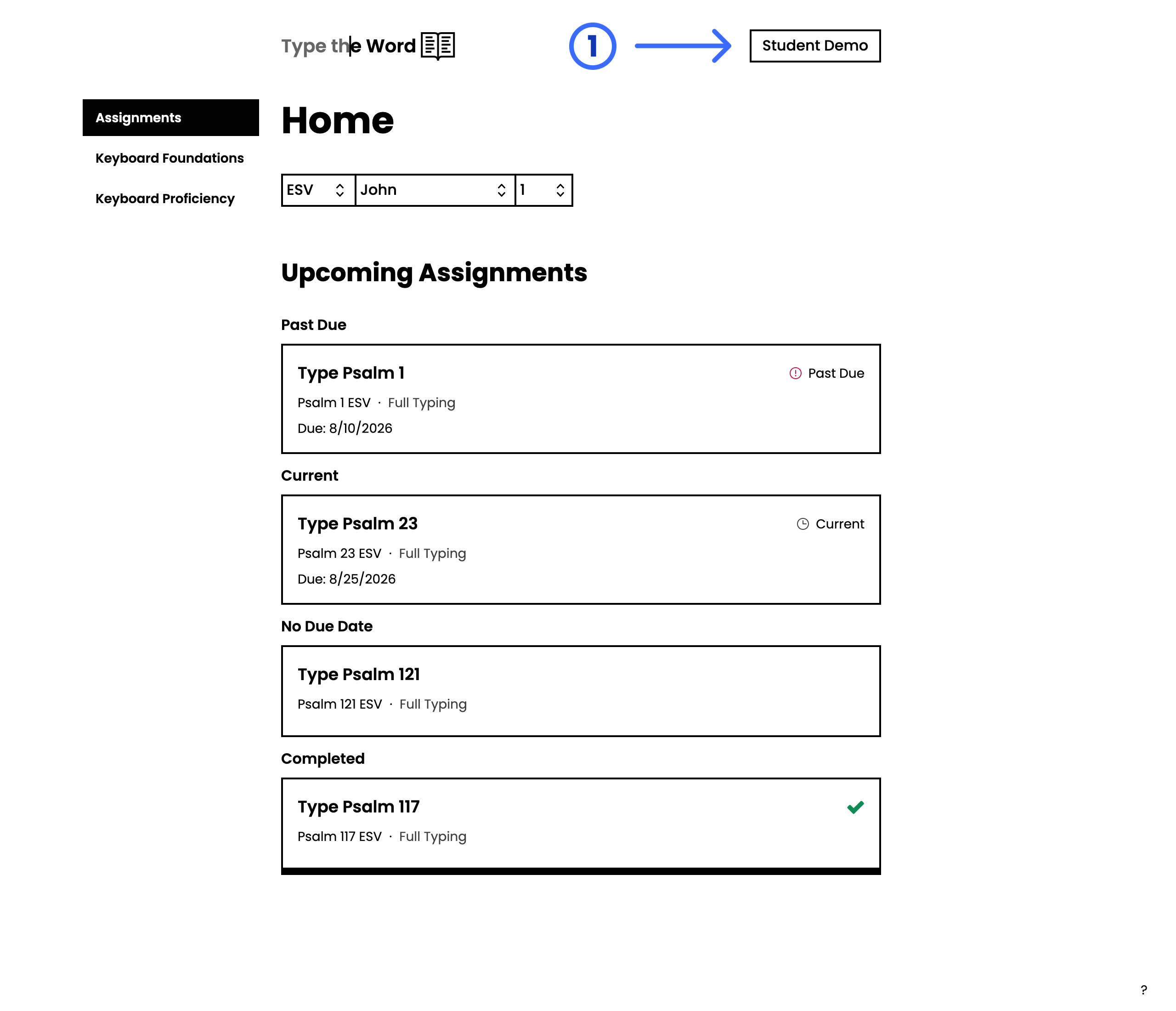
Confirm you reach **"Home"** without an access or role error. Check that the
account name in the upper-right is yours.
 If you see **"You don't have any upcoming assignments"**, that is normal until a
teacher creates one. See [When you have no
assignments](/students/when-you-have-no-assignments) for what to do in the meantime.
## Setup complete
Student onboarding is complete when the student can launch Type the Word with the correct school account and reach **"Home"** without an access or role error.
## Troubleshooting
* **Another student's name appears:** Return to Canvas, sign out, and begin again with your own account.
## What's next
[Find your assignments](/students/find-assignments) on **"Home"**, or [keep
practicing](/students/when-you-have-no-assignments) until a teacher creates one.
If you see **"You don't have any upcoming assignments"**, that is normal until a
teacher creates one. See [When you have no
assignments](/students/when-you-have-no-assignments) for what to do in the meantime.
## Setup complete
Student onboarding is complete when the student can launch Type the Word with the correct school account and reach **"Home"** without an access or role error.
## Troubleshooting
* **Another student's name appears:** Return to Canvas, sign out, and begin again with your own account.
## What's next
[Find your assignments](/students/find-assignments) on **"Home"**, or [keep
practicing](/students/when-you-have-no-assignments) until a teacher creates one.